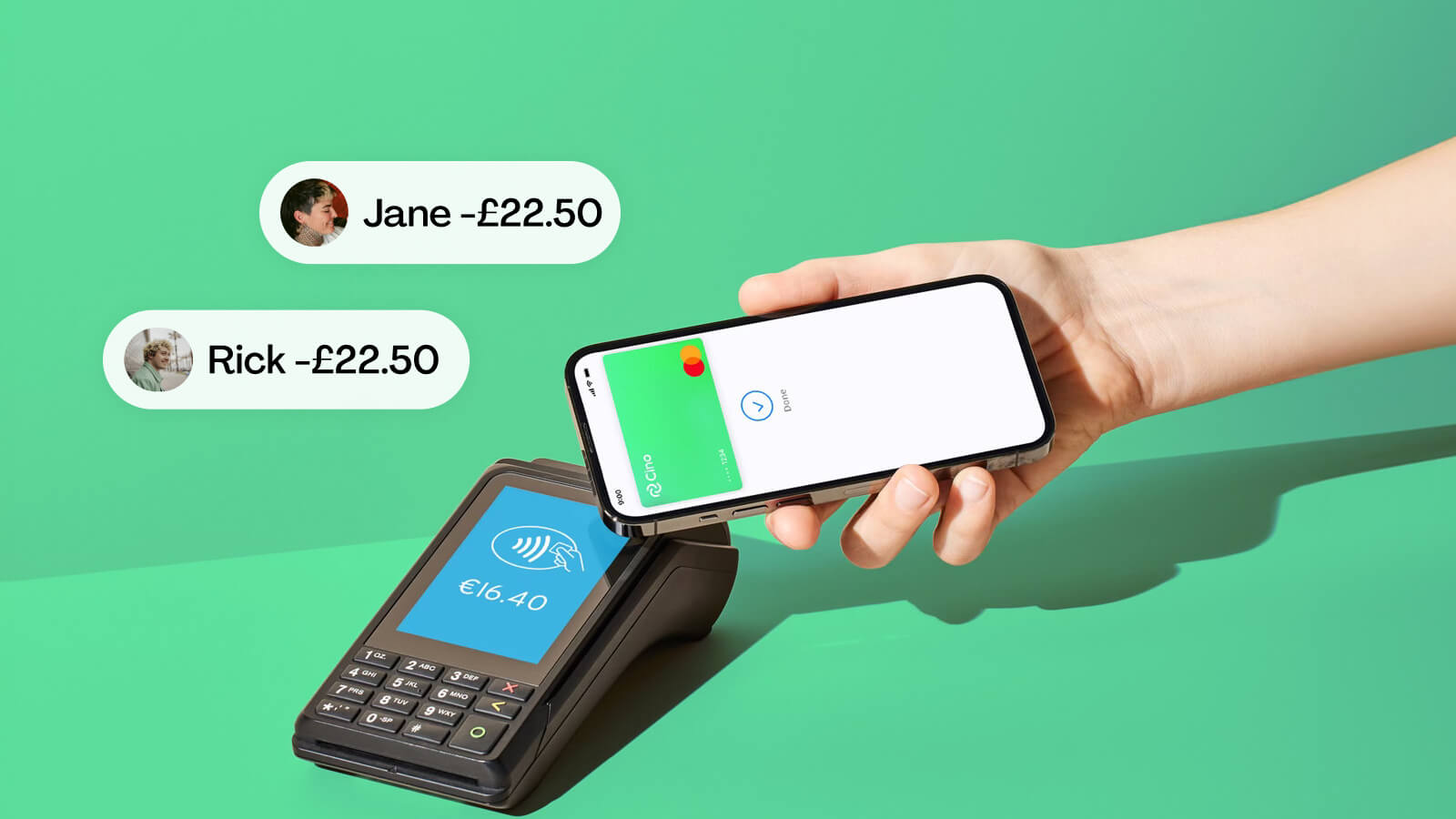
Splitting payments with friends, partners, or housemates should be simple—but most of the time, it isn’t. From manually adding expenses into apps, to waiting for people to pay you back, to awkward reminders in the group chat, the process can quickly turn into admin no one wants. That’s why more and more people are searching for a Split Payment App that actually solves the problem rather than digitising the hassle.
Enter Cino—a new split payment app that automates the entire process so you never have to front the bill, chase anyone, or manually track expenses again.
In this guide, we’ll break down what a split payment app is, what to look for, and why Cino is becoming the most popular choice for people who want a fast, fair, and automatic way to split payments.

A split payment app is a tool that allows multiple people to share the cost of a payment. Traditionally, these apps require one person to pay upfront, add the bill into the app, assign amounts, and then wait for everyone else to settle up.
While this is helpful, it still leaves room for:
A modern split payment app solves this by splitting the payment instantly at the moment of purchase, so no one has to pay more than their own share.
That’s exactly what Cino does.
Cino is the first split payment app that divides the bill automatically when you pay, not afterwards.
No chasing. No IOUs. No awkward reminders.
Just instant, fair payment splitting.
This makes Cino the best split payment app for:
Most split payment apps still operate on the outdated “pay now, settle later” model. But this creates friction:
An automatic split payment app eliminates all of this.
Cino’s instant-split technology means:
It’s the most accurate way to share expenses—and the least stressful.
The standout feature: Cino splits the payment at checkout, not later.
Whether you split 50/50, 70/30, or assign exact totals, Cino adapts to real-life situations.
Want to split a one-off bill with friends who don’t use Cino?
Create a QuickSplit card, share the link, and the payment will still split automatically.
Cino pins everywhere you pay, creating a digital map of shared experiences—perfect for trips, dates, and memories.
Unlike some apps that charge for FX, Cino is completely free to use for travel.
You can use it online or in-person via Apple Pay or Google Pay.
Yes—Cino partners with Mastercard to issue secure virtual group cards.
All card data is encrypted and never shared with other users.
You get instant transaction notifications and can set group spending limits.
As with any shared financial tool, you should use Cino only with people you trust—but it’s arguably safer than hoping friends remember to pay you back.
Cino works for almost any shared financial situation, but it’s particularly helpful for:
Manage groceries, dates, bills, and subscriptions automatically.
No more awkward “You still owe me €5” conversations.
Split utilities, cleaning supplies, and takeaways seamlessly.
Perfect for shared flights, petrol, hotels, food, and activities.
Easy, fair, cheap—and zero admin.
Most apps simply digitise manual expense splitting.
Cino eliminates it entirely.
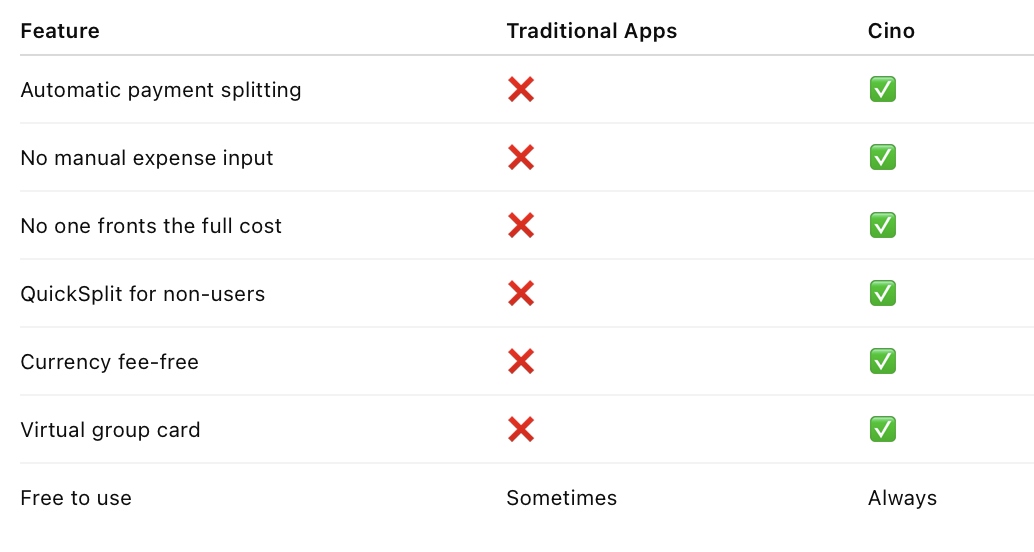
Compared to traditional options, Cino offers:
.png)


