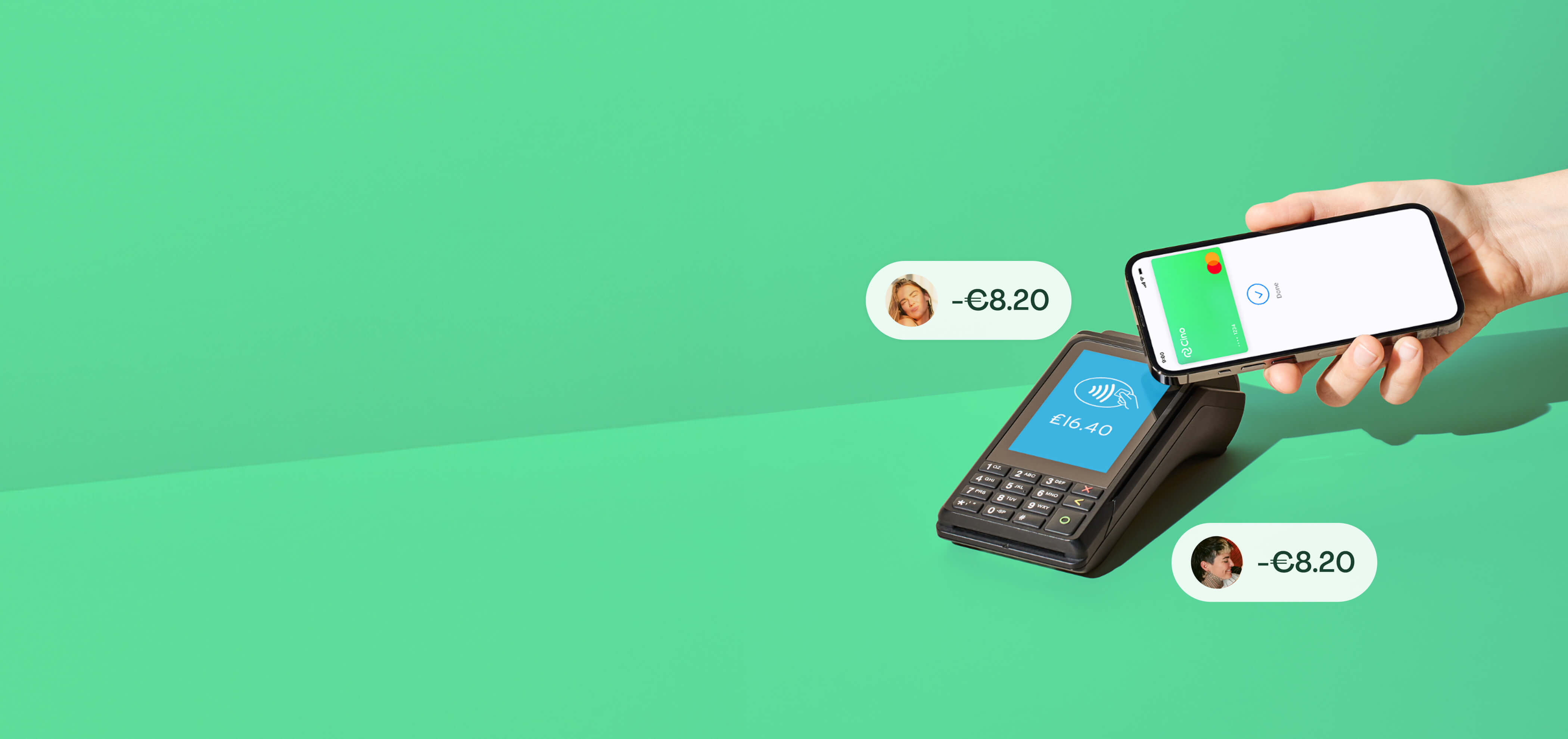
QuickSplit is built for one-off bills — a dinner, a taxi, a gift. Send a link, everyone taps to pay their share, and nobody fronts the cost.
Open QuickSplit from the app

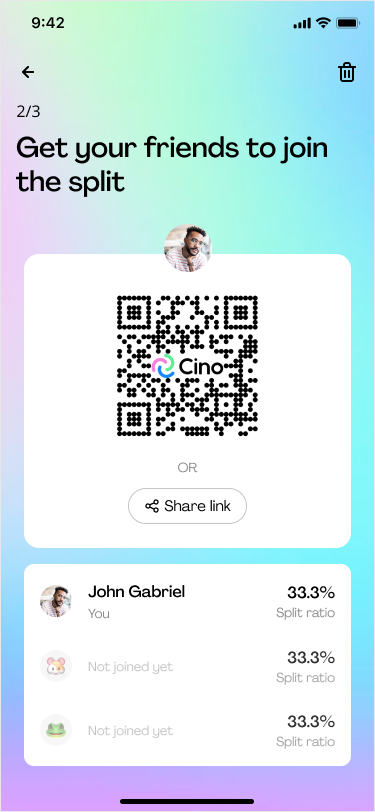
Share a link or QR code with your friends who are not on Cino. They tap to join with Apple Pay or Google Pay — no account, no app download.
Each guest taps to pay their share with their Apple Pay or Google Pay. It's charged immediately — no one fronts the bill.


Anyone can join a split in seconds — even without the Cino app.
5M
Bills split
and counting
33
Countries
and growing
3 MIN
To set up
Why thousands of one-off bills get split with QuickSplit instead of chasing people afterwards.
You front the whole bill and wait to get paid back
✅ Everyone pays their own share, instantly — no fronting
Your friends need your bank details or you need to send them a payment request (if this is available in your country
✅ Just share the QR code — they pay with Apple Pay or Google Pay
Chasing individual bank transfers after the bill's paid
✅ Everyone's charged the moment they tap to pay
Only works in the same country otherwise there might be fees or takes days.
✅ Works for any card that is issued in any country in EEA/UK
Only works if everyone has the same app
✅ Works with just a QR code/ a link — nothing for them to install
No record of who actually paid
✅ A clear receipt showing exactly who paid what
Any one-off bill where not everyone's on Cino yet.

Splitting a cab, a gift or a date night? Send a link and get paid back instantly — no joint anything required.

Settle a dinner or a round of drinks on the spot. Everyone taps to pay their share before you've even left the table.

Festivals, group trips or a big dinner — send one link and watch everyone's share get charged automatically.
More on splitting bills without the hassle.

QuickSplit lets you split any one-off bill with anyone, instantly — a dinner, a taxi, a shared gift. Send a link or QR code, everyone taps to pay their share with Apple Pay or Google Pay, and the bill's settled on the spot. No one fronts the cost, and no one has to chase anyone afterwards.
No. Anyone you send a QuickSplit link or QR code to can pay with just Apple Pay or Google Pay — no Cino account, no app download, no sign-up. They tap, pay their share, and they're done.
No — that's the point. You create the QuickSplit, but the people you're splitting with don't need a Cino account at all. It's built for one-off bills with anyone, not just your regular Cino groups.
Open QuickSplit and tell us how many people are splitting. Send the link or QR code — everyone taps to join via Apple Pay or Google Pay. Once everyone's in, tap to pay and each person's share is charged from their own card instantly.
Yes. Hold your phone or QuickSplit card near a card reader to tap and pay, just like a regular contactless card. You can also send a link when you're not together in person — either way, everyone gets a clear receipt showing who paid what.
Cino costs €0.20 per transaction, capped at €5 a month. There's no subscription, and QuickSplit is included at no extra cost.


.png)